Imagine a customer in your city whose AC has stopped working in the middle of summer. Or a purchase manager who needs a new industrial supplier by next month. Or a business owner who just typed “best accounting software for small business” into Google.
Each of these people has a problem, and each is ready to act right now. Google Search Ads put your business in front of them at that exact moment.
That is why Google Ads lead generation is one of the most direct ways to get enquiries. But there is a catch. Many businesses spend money on ads and receive clicks that never turn into customers: wrong keywords, weak landing pages, no tracking, and a flood of low-quality enquiries.
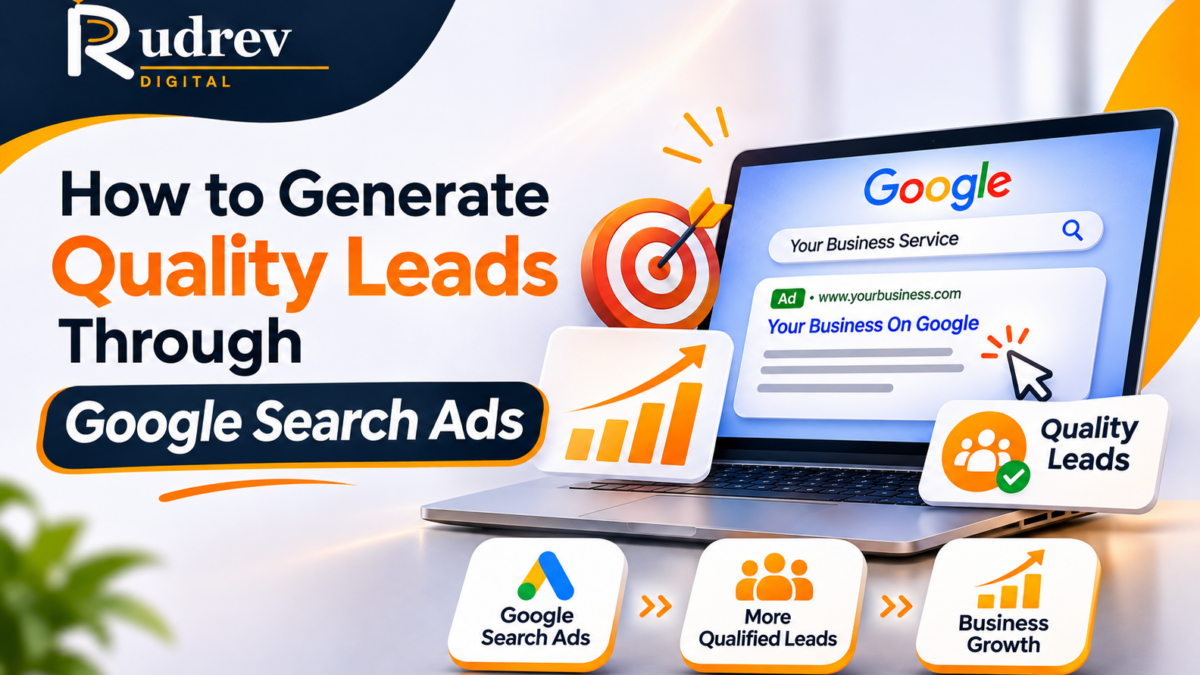
This guide shows you how to generate quality leads using Google Ads, step by step, in plain language. It works whether you run a local business, a B2B company, a SaaS brand, or a service firm.
Quick Answer: How Do You Generate Leads Using Google Ads?
To generate quality leads with Google Ads:
- Define your ideal customer and a clear lead goal.
- Target high-intent keywords that show buying interest.
- Write an ad copy that speaks to a specific problem.
- Send clicks to a focused landing page with one clear action.
- Set up conversion tracking to measure real leads.
- Add negative keywords to remove wasted clicks.
- Review lead quality weekly and optimize continuously.
Quality leads come from matching the right search with the right message and the right page, not from spending more money.
What Is Google Ads Lead Generation?
Google Ads lead generation means using paid search campaigns to attract potential customers and capture their details, such as a phone call, form submission, WhatsApp message, or quote request.
Unlike social media, where people are scrolling casually, Google users are actively searching. Someone typing “CNC machining services near me” has a clear need. This is called search intent, and it is the main reason search ads often generate more ready-to-buy enquiries than many other channels.
PPC lead generation works on a pay-per-click model. You bid on keywords, and you pay when someone clicks your ad. Done well, each click is an investment in finding a customer. Done poorly, it is money lost.
Why Google Search Ads Work for Lead Generation
- High intent: you reach people who are already searching for your service.
- Speed: unlike SEO, campaigns can start bringing enquiries within days.
- Control: you decide the location, budget, schedule, and message.
- Measurable: you can track calls, forms, and cost per lead.
- Scalable: you can increase budget when the numbers work.
Paid search and SEO also work well together. Ads bring quick leads while your SEO services build long-term visibility.
Step 1: Define What a “Quality Lead” Means for Your Business
This is where most campaigns go wrong. A lead is not just anyone who fills out a form.
Ask yourself:
- Who is my ideal customer?
- What size of project or order is worth my time?
- Which locations do I serve?
- What budget does a good customer usually have?
- What does a bad lead look like?
For example, a manufacturing company may want bulk buyers, not people asking for one-piece orders. A clinic may want patients in a specific area, not job seekers. Write this down. It guides keywords, ads, forms, and reporting.
Tip: Create a simple scoring system. Mark each lead as qualified, maybe, or not relevant, and review the pattern monthly. This tells you which keywords and ads truly bring quality leads.
Step 2: Research High-Intent Keywords
Keyword targeting is the foundation of your campaign. The goal is to appear when people are ready to enquire or buy, not just curious.
Types of Keywords
- High intent (best for leads): “digital marketing agency in Ahmedabad,” “buy industrial valves wholesale,” “dentist near me.”
- Medium intent: “best CRM for small business,” “SEO services pricing.”
- Low intent: “what is digital marketing,” “how does PPC work.” These are better for blogs than ads.
Match Types
Google offers three match types, and understanding them protects your budget:
- Exact match: shows for searches very close to your keyword. Most control.
- Phrase match: shows when the search includes your phrase’s meaning. Balanced.
- Broad match: shows for wide variations. Highest reach, but it can attract irrelevant clicks if not managed carefully.
For small budgets, start with exact and phrase match, then expand once you see what works.
Think Like Your Customer
People rarely use industry jargon. They search the way they speak: “AC repair near me,” “cheap website design for my shop,” “best Google Ads agency for small business.” Include these natural phrases in your research.
Step 3: Use Negative Keywords to Stop Wasting Money
Negative keywords tell Google which searches you do not want to appear for. They are one of the fastest ways to improve lead quality.
If you offer premium B2B services, you may add negatives like:
- free
- jobs
- salary
- course
- DIY
- cheap (if you are not a budget option)
- internship
Review your Search Terms report every week. It shows the exact searches that triggered your ads. You will often find irrelevant terms eating budget. Add them as negatives, and your campaign gets cleaner and cheaper over time.
Step 4: Structure Your Google Ads Campaigns Properly
A messy account wastes money. Keep it organised:
- Campaign: one for each service or goal (for example, “SEO Services” and “Web Development”).
- Ad groups: small groups of closely related keywords.
- Ads: several versions tailored to those keywords.
The more closely your keyword, ad, and landing page match, the better your Quality Score, which can lower your cost per click and improve your ad position.
Decide your location settings carefully. If you serve a city, target that area rather than the whole country. For instance, businesses in Gujarat can focus campaigns on local searches through our PPC services in Ahmedabad.
Step 5: Write Ad Copy That Attracts the Right People
Ad copy optimization is about making the right person click and the wrong person skip.
What Strong Ad Copy Includes
- The keyword or problem: match what the person searched.
- A clear benefit: what do they get?
- Proof: experience, results, certifications, or reviews.
- A specific call to action: “Get a Free Quote,” “Book a Consultation,” “Call Today.”
- Qualifiers: mention location, service type, or minimum scope to filter out poor-fit clicks.
Example
Weak ad:
“Best Services at Low Price. Contact Us Now.”
Stronger ad:
“Google Ads Management for Local & B2B Businesses | Lead-Focused Campaigns | Free Account Review”
The second tells people exactly who it is for and what they get.
Use Ad Assets
Add sitelinks, callouts, call buttons, location information, and lead forms. These make your ad larger, more trustworthy, and easier to act on. Test several headlines and descriptions, and let data show which performs best.
Step 6: Build a Landing Page That Converts
A great ad with a poor landing page still loses money. Landing page optimization can raise your conversion rate significantly without increasing ad spend.
A High-Converting Landing Page Has:
- A headline that matches the ad. If the ad promises “Free Account Review,” the page should say so.
- One clear goal. Avoid sending people to a busy homepage with fifteen menu items.
- A short, simple form. Ask only what you need. Every extra field reduces submissions, though too few fields can bring poor-quality leads. Find the right balance.
- Trust signals. Client logos, reviews, case studies, certifications.
- Fast loading. Slow pages lose visitors quickly.
- Mobile-friendly design. Most searches happen on phones.
- Click-to-call and WhatsApp buttons. Make contacting you effortless.
- FAQs. Answer objections before they become reasons to leave.
If your current website cannot support good landing pages, a website redesign or B2B website development can help create pages built to convert.
Step 7: Set Up Conversion Tracking Correctly
Without conversion tracking, you are guessing. You will not know which keywords, ads, or campaigns actually produce leads.
Track these actions:
- Form submissions
- Phone calls from ads
- Calls from your website
- WhatsApp clicks
- Quote requests
- Booking confirmations
Use Google Ads conversion tracking, Google Analytics 4, and Google Tag Manager together. Where possible, import offline outcomes, such as “lead became a customer,” back into Google Ads. This teaches Google’s automation to find more people like your best customers, not just anyone who fills a form.
Important: count a conversion only for meaningful actions. Counting every page view or button click as a “lead” makes the reports look good while hiding the truth.
Step 8: Choose the Right Bidding Strategy
Bidding controls how Google spends your budget.
- Manual CPC: you set bids yourself. Good for control when starting with little data.
- Maximize Clicks: brings traffic but not necessarily leads. Use carefully and briefly.
- Maximize Conversions: Google aims for the most conversions within budget.
- Target CPA: Google aims for leads at a cost you choose.
Automated strategies work best after your campaign has enough conversion data. If tracking is wrong, automation will optimize toward the wrong results, which is why Step 7 comes first.
Step 9: Set a Realistic Budget
There is no magic number, but a few principles help:
- Start with enough budget to collect useful data, not so little that nothing can be learned.
- Compare your potential customer value with your cost per lead.
- Know your numbers: if a customer is worth ₹50,000 to you and one in ten leads converts, you can calculate what you can afford to pay per lead.
- Increase budget only after the campaign shows steady results.
Competitive industries have more expensive clicks. That makes careful targeting and strong landing pages even more important. You can explore structured options with our PPC packages.
Step 10: Optimise Weekly, Not Occasionally
Google Ads is not “set and forget.” The best-performing accounts are reviewed regularly.
Weekly checklist:
- Review search terms and add negative keywords.
- Pause keywords that spend money without generating leads.
- Check ad performance and test new versions.
- Review landing page conversion rate.
- Check call and form quality.
- Adjust location, device, and schedule settings if some segments perform better.
Monthly checklist:
- Review cost per lead and lead quality.
- Compare campaigns against business goals.
- Test new landing page ideas.
- Plan budget changes.
Small, steady improvements compound. A campaign that improves a little every week can look very different after six months.
Common Google Ads Mistakes That Lead to Poor-Quality Leads
Avoid these common problems:
- Targeting only broad keywords without negatives.
- Sending traffic to the homepage instead of a focused page.
- No conversion tracking, or tracking the wrong actions.
- Ignoring lead follow-up. A slow response loses leads even from perfect campaigns.
- Copying competitors without understanding their strategy.
- Setting wide locations that attract irrelevant enquiries.
- Changing too much too fast, so you cannot tell what worked.
- Chasing clicks instead of customers.
- Letting Google’s automatic recommendations change settings without review.
- Judging results too early. Give campaigns enough time and data to learn.
Real-Life Example: From Low-Quality Clicks to Qualified Enquiries
Consider a B2B manufacturing company running Google Ads. It receives many clicks and enquiries, but most are for tiny orders, job seekers, or irrelevant products.
After reviewing the account, a lead-focused approach might:
- Replace broad keywords with specific, high-intent product and supplier searches.
- Add negatives such as “jobs,” “free,” and “retail.”
- Rewrite ads to mention bulk orders and business customers.
- Create a dedicated landing page with a short quote form, product details, and client proof.
- Track phone calls and form submissions separately.
- Review the search terms report weekly.
The number of clicks may drop, but the enquiries become more relevant, the cost per qualified lead falls, and the sales team spends time on buyers rather than browsers. That is the difference between traffic and quality leads.
If you sell to other businesses, our B2B PPC services are built around exactly this approach.
Google Ads vs SEO vs Social Ads: Which Is Best for Leads?
Each channel has a role.
- Google Search Ads: fastest way to reach people actively searching. Best when you need leads soon.
- SEO: slower to build but lowers your long-term cost per lead. Read our guide on choosing the best SEO company to start.
- Meta Ads (Facebook and Instagram): strong for awareness and reaching people before they search. See Meta Ads management.
- LinkedIn Ads: useful for targeting job titles and companies in B2B. See LinkedIn Ads management.
For most businesses, the strongest results come from combining channels: search ads capture demand, SEO builds lasting authority, and social ads create awareness. Our lead generation services and B2B digital marketing bring these pieces together.
Google Ads Strategy for Small Businesses
Small budgets need smart choices:
- Focus on one or two core services instead of everything you offer.
- Target your local area and nearby locations only.
- Use exact and phrase match to protect budget.
- Add call extensions and location assets so customers can reach you quickly.
- Optimise your Google Business Profile to support local trust. See our Google Business Profile services and local SEO.
- Respond to leads fast, ideally within minutes.
- Start small, learn, then scale.
A small, well-managed campaign often beats a large, unfocused one.
Why Lead Follow-Up Matters as Much as the Ad
Even perfect campaigns fail if leads are ignored. Customers often contact several businesses at once, and the first to respond usually has the advantage.
Build a simple follow-up routine:
- Respond to calls and forms quickly.
- Use a short, friendly script to qualify the enquiry.
- Record the source of each lead.
- Follow up more than once.
- Tell your marketing team which leads became customers.
That feedback helps improve targeting, because the campaign learns from real outcomes rather than guesses.
How Rudrev Digital Helps You Generate Quality Leads
Rudrev Digital builds Google Ads campaigns around one outcome: qualified enquiries for your business. Our approach includes:
- Account and goal review. We start by understanding your customers, offer, and what a good lead looks like.
- Intent-based keyword strategy. High-intent targeting with strong negative keyword control.
- Conversion-focused ad copy and landing pages.
- Accurate tracking. Calls, forms, and real business outcomes.
- Ongoing optimisation. Regular reviews, testing, and transparent reporting.
- Full-funnel support. Google Ads management, SEO, social ads, and web development working together.
Explore all our PPC services, see our wider services, or learn more about us. We also work with SaaS, healthcare, and manufacturing businesses.
Frequently Asked Questions (FAQs)
How do I generate leads using Google Ads?
Choose high-intent keywords, write clear ads, send traffic to a focused landing page, track conversions, and use negative keywords to filter out irrelevant clicks. Then review results weekly and improve based on lead quality, not just clicks.
How much does Google Ads lead generation cost?
Costs vary by industry, location, and competition. Your total cost depends on your budget, cost per click, and conversion rate. Instead of focusing on clicks alone, calculate your cost per qualified lead and compare it with customer value. You can review structured options on our PPC packages page.
How do I get quality leads from Google Ads instead of junk enquiries?
Use specific keywords, add negative keywords, mention your target customer in ad copy, use a landing page with qualifying details, track real conversions, and review search terms regularly. Qualifying questions on your form can also reduce irrelevant leads.
Is Google Ads good for small businesses?
Yes, if managed with focus. Small businesses can target specific services and local areas, control spending, and track results. Starting with a few high-intent keywords usually works better than broad campaigns.
How long does it take for Google Ads to generate leads?
Campaigns can start generating enquiries within days of launch. However, the first few weeks are a learning phase, and strong performance usually develops over two to three months of testing and optimisation.
What is the difference between Google Ads and SEO?
Google Ads brings paid traffic quickly but stops when the budget stops. SEO takes longer but builds lasting organic visibility. Many businesses use both: ads for fast leads and SEO for long-term growth.
What is a good conversion rate for Google Ads?
It depends on your industry, offer, and landing page. Rather than chasing a universal number, track your own conversion rate over time and improve it through better targeting, ad copy, and landing pages.
Why am I getting clicks but no leads from Google Ads?
Common causes include poor keyword targeting, weak or mismatched landing pages, missing trust signals, slow websites, a complicated form, or tracking problems. Review your search terms, landing page, and conversion setup first.
Should I hire a Google Ads agency?
If you lack time, experience, or results, an agency can help. Choose one that explains its strategy clearly, tracks leads rather than clicks, and gives you access to your own account and reports.
Final Thoughts
Google Ads lead generation works when you treat it as a system, not a switch. The right keywords bring the right people. Strong ad copy attracts them. A focused landing page convinces them. Accurate tracking shows what works. And quick follow-up turns enquiries into customers.
Start by defining a quality lead. Choose high-intent keywords, protect your budget with negatives, track real conversions, and review results every week. Small, consistent improvements will lower your cost per lead and raise lead quality over time.
Ready to generate more quality leads from Google Ads? Talk to the team at Rudrev Digital for a clear review of your goals and a campaign built for real enquiries. Contact us today, or visit our FAQ page for quick answers.